When the SOS Report Lands

Some customer cases are straightforward. Some aren’t — a 500MB SOS report, configs you haven’t seen before, thousands of log lines, and not a lot of context to go on. You extract the tarball, grep through logs, eyeball settings against what you remember they should be. And you miss things — I certainly do, because staying sharp on page three of a ten-thousand-line log just doesn’t happen.
LLMs are good at processing large amounts of text. So using one to help bootstrap an investigation made sense. The first version of LDAP Assistant MCP was all about live servers — connect, ask questions, get structured answers. But for the “here’s a tarball, figure out what happened” part? Still entirely manual.
So I built archive mode.
Archive Mode
Point the assistant at an SOS report instead of a running server:
{
  "name": "customer-case-1234",
  "is_archive": true,
  "archive_path": "/tmp/sosreport-host-2026.tar.xz"
}
It figures out the layout — full SOS structure, a manually extracted directory, or just a bare config file somebody emailed you. Handles compressed tarballs, cleans up after itself. Multiple instances? It lists what it found and you specify which one in the config. You can mix archives and live servers in the same server.json config.
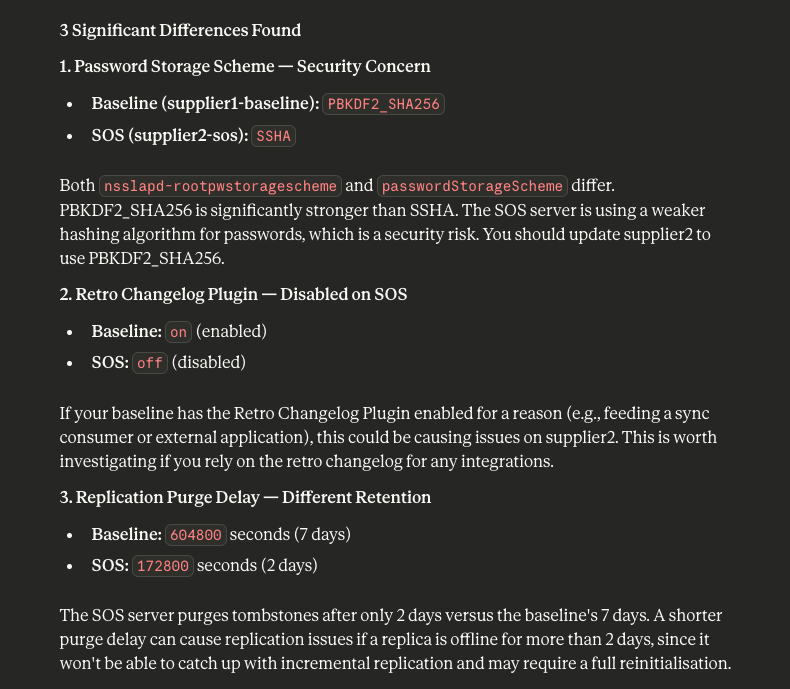
Every case is different, so there’s no single workflow — but the tools cover a lot of ground. Inventory of what’s in the archive, config validation (password storage schemes, TLS, audit logging, anonymous access), replication topology, healthcheck results. Each finding comes with severity and remediation, like the built-in healthcheck would give you — except you’re running it on data from weeks ago.
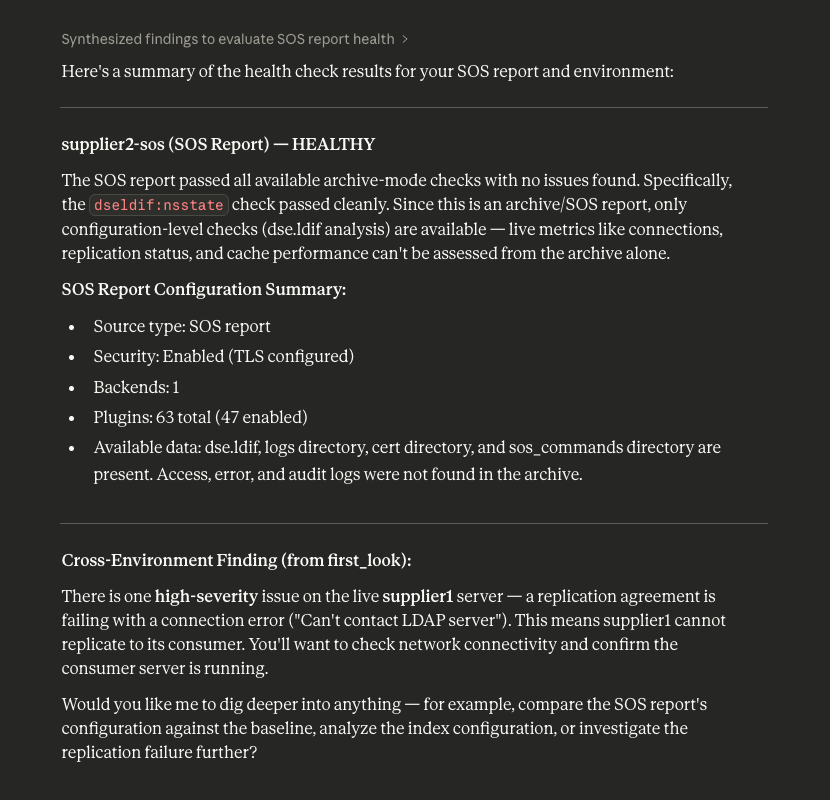
There’s also configuration comparison — two archives, full diff of plugins, indexes, replication agreements. Useful when two servers that should be identical aren’t.
Log analysis works on archives too — operation stats, error severity, slow queries, unindexed searches. The kind of stuff you’d normally piece together with grep and awk, except lib389+LLM can work through all of it at once.
What Makes It Work
lib389 — the administration library I help maintain — already has years of domain knowledge baked in. Config parsers, log readers, replication analysis. Most of it offline-capable. The problem was, everything in the MCP server expected a live server object with open LDAP connections.
To fix this, I built a thin bridge that feeds archive files to those same parsers. The library doesn’t know it’s reading from a tarball. It doesn’t need to. lib389 stays what it is — the layer that handles protocol and domain semantics. The MCP tool works on the rest — archive detection, AI integration, privacy.
That separation is the architecture decision I’m happiest with. A domain library that already understands the formats and semantics, an LLM that’s good at processing text, and a person with domain knowledge guiding it all. Each layer does what it’s good at — and IMO that’s what makes AI tooling actually useful for this kind of work.
Privacy
SOS reports are full of sensitive data — hostnames, DNs, credentials. Sending that to a cloud LLM is a real concern.
So the log tools come in two variants. One returns only aggregate statistics — counts, distributions, summaries — nothing identifiable. Works with privacy mode on, which is the default. The other gives full detail but requires explicitly setting a flag. The idea is: aggregate tools with whatever LLM for initial triage, local model when you need actual log entries.
What’s Next
Worth saying clearly: the LLM interprets the data and can get things wrong. Archive mode doesn’t fix that. But you’re working on historical data, there’s nothing to break. A bad recommendation wastes investigation time, not production uptime. That said, while testing I kept seeing it give useful direction — enough to be worth trying :)
There’s middleware for timeouts and response size limits now. Plenty left to do — better large log file handling, more specific remediation commands, deeper replication forensics. Getting more solid, still early.
All of this shipped in v0.4.0. If you try it on a real SOS report, I’d love to hear how it goes — what helped, what was missing, what would make you actually reach for this instead of grep.